
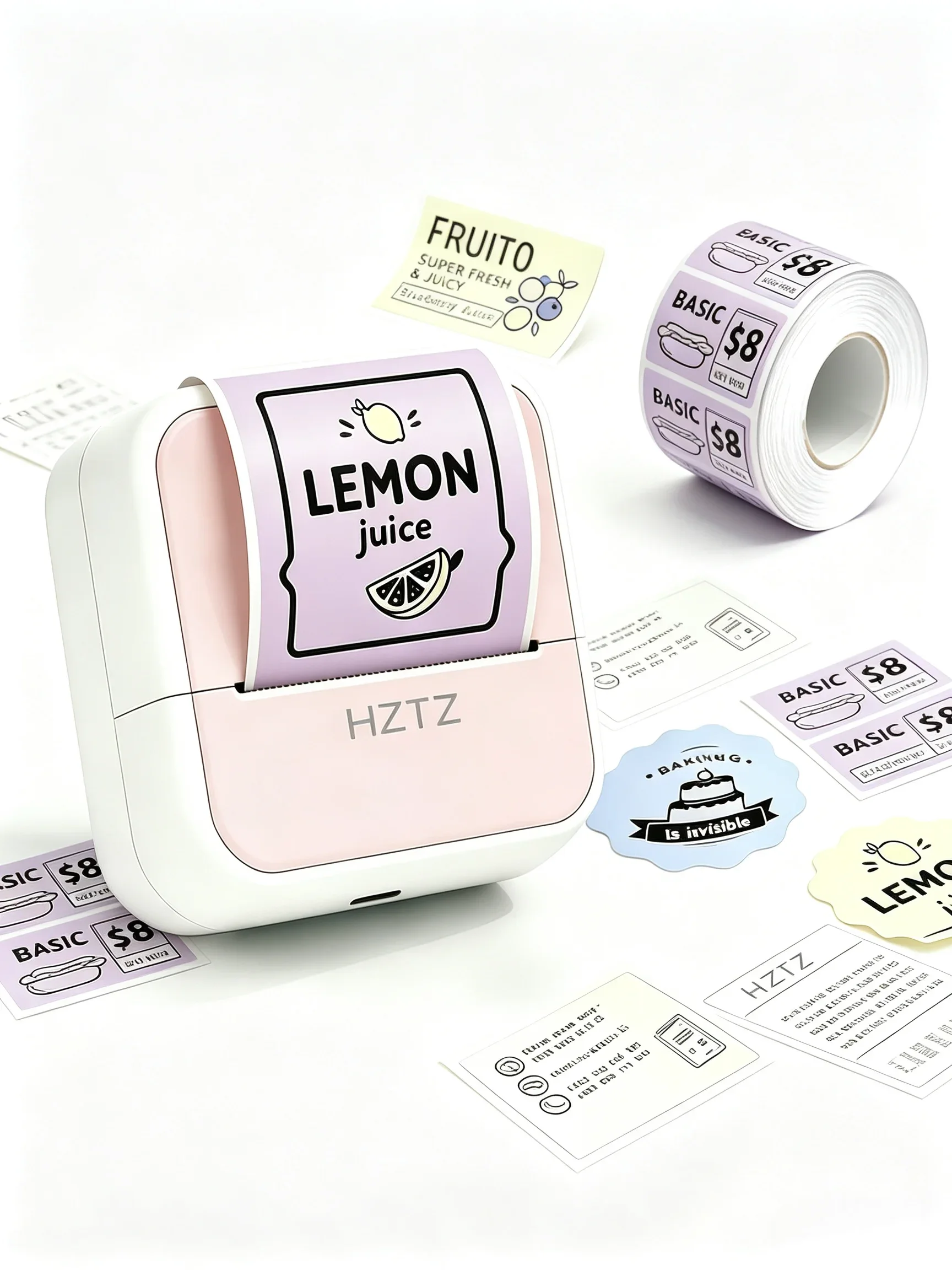
Updated November 2026. The listing this review used to link to turned out to sell refill paper rolls, not the printer, and its ratings were for the paper. We replaced it with a printer listing that has its own buyer history and rewrote the review around that unit.
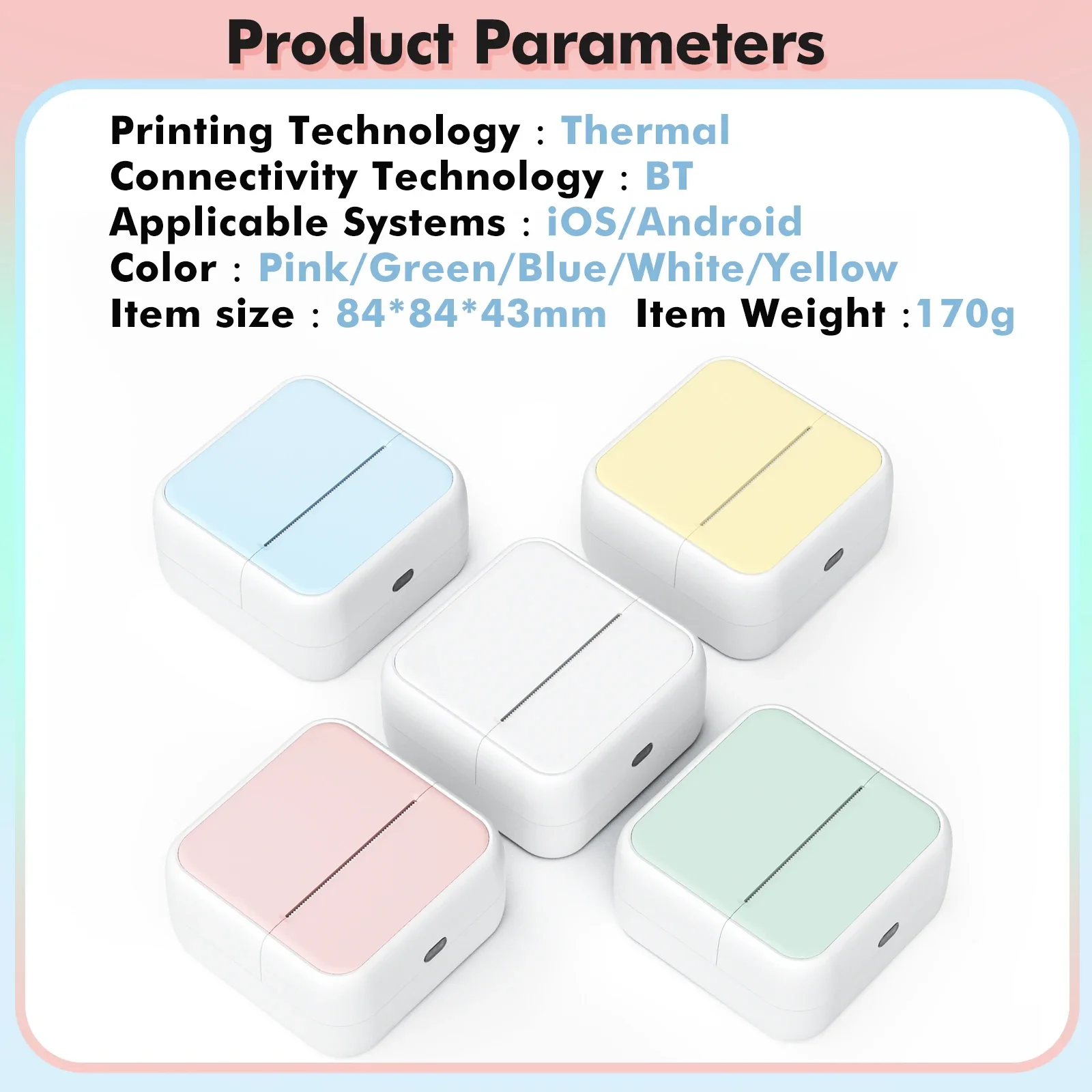
“It’s very good for labeling jars,” starts one review of this mini thermal printer, and then explains that the buyer had to order a second one because their niece took the first. That is the whole appeal in two sentences: a palm-sized Bluetooth printer, 84 by 84 by 43 millimetres and 170 grams, that prints labels, notes and grainy photos from your phone without ever needing ink. It sells for about $18 and has 899 ratings averaging 4.9 stars.
What it is
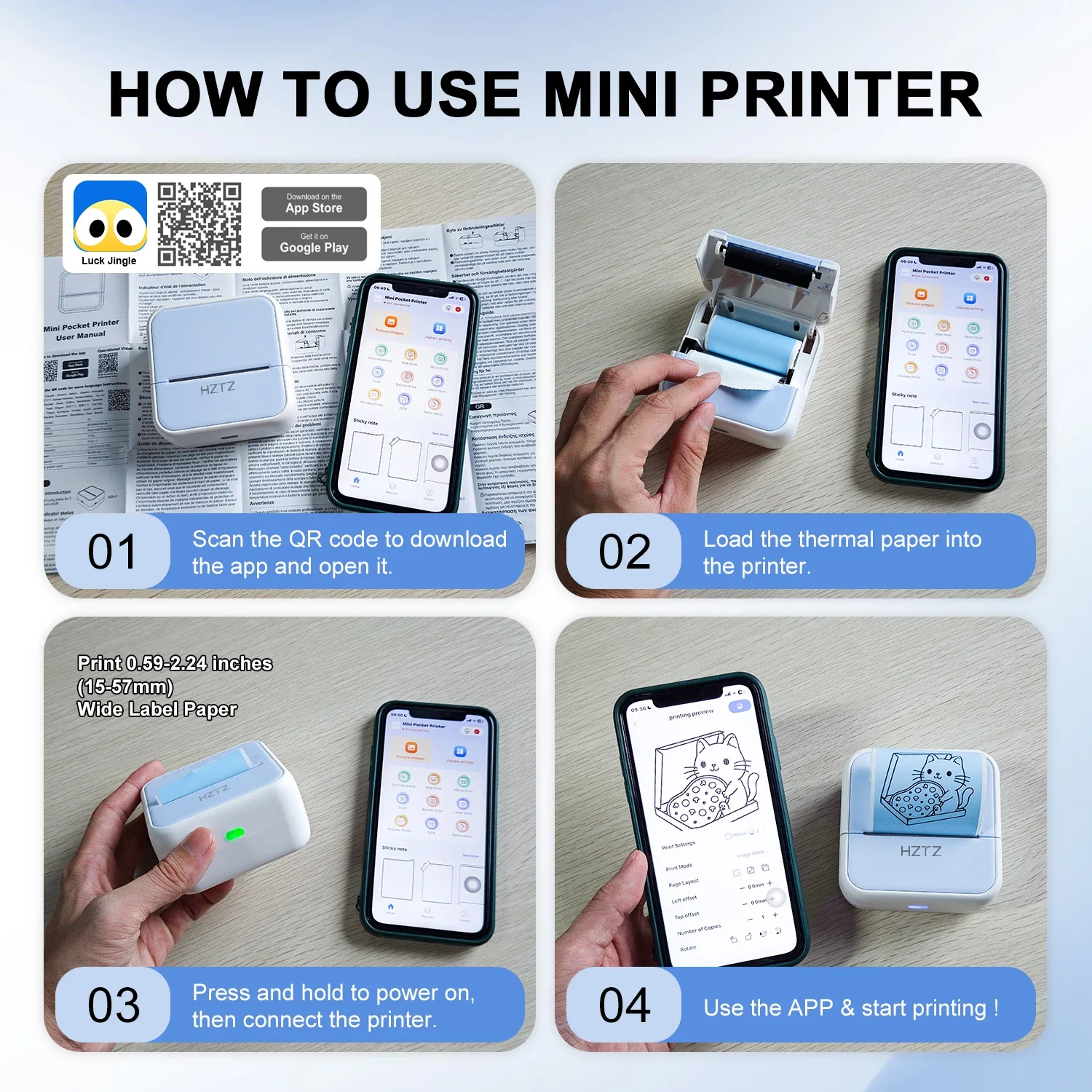
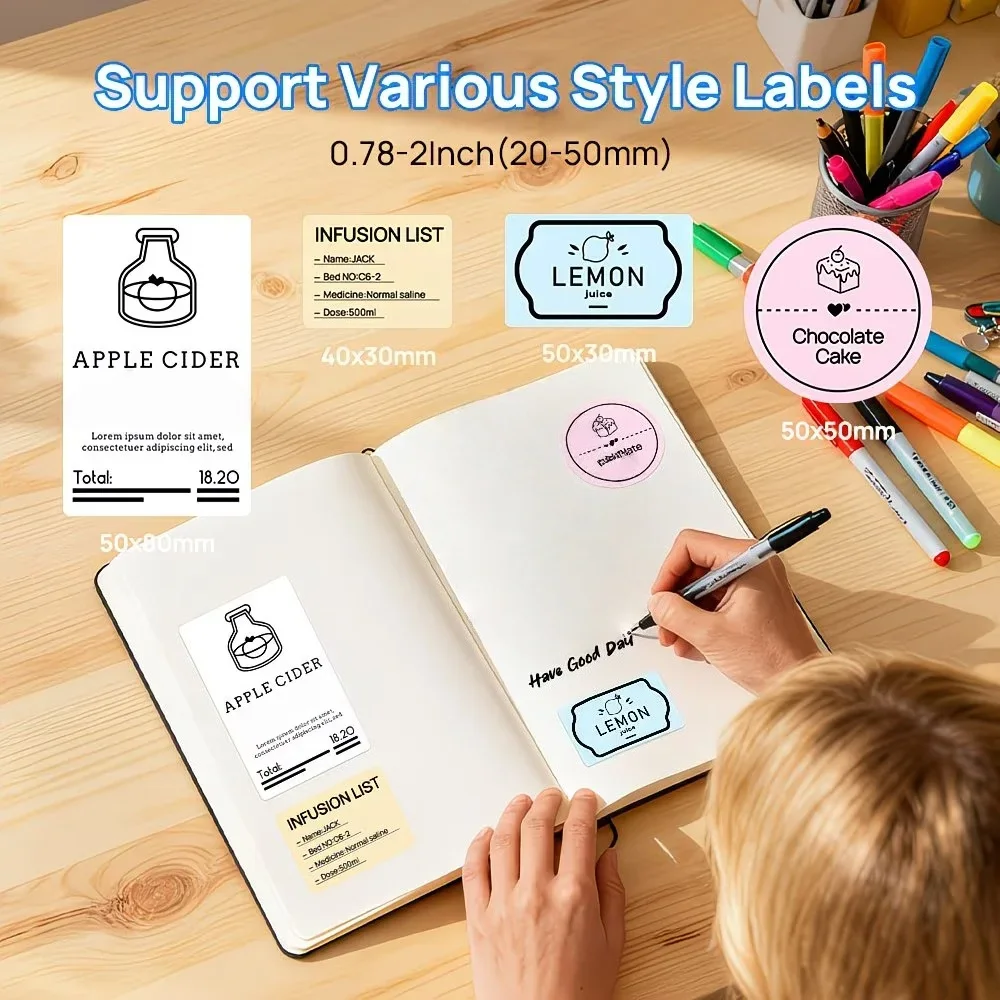
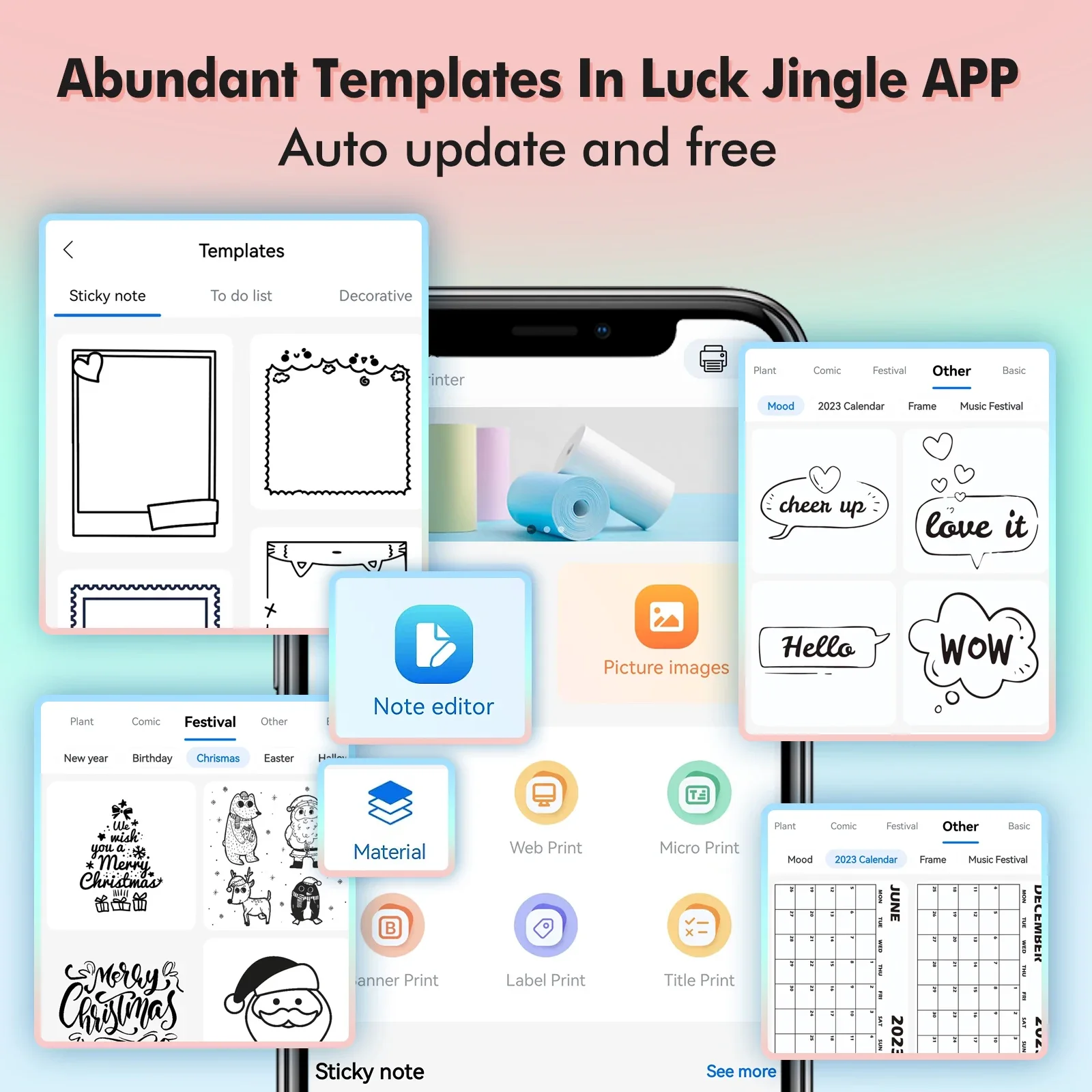
A cube-shaped thermal printer that takes 57/58mm paper rolls and connects to a free app called Luck Jingle on iPhone or Android. Thermal printing burns the image into heat-sensitive paper, so there are no cartridges to buy or dry out. The app handles everything: you pick a template (jar labels, to-do lists, sticky notes, photo frames), type or drop in an image, and press print. Label sizes run from about 20 to 50 millimetres wide, and the printer comes in pink, green, blue, white or yellow.
| Spec | What you get |
|---|---|
| Printing | Thermal, no ink or toner |
| Paper | 57/58mm rolls; plain, colour and self-adhesive |
| Connection | Bluetooth, Luck Jingle app (iOS and Android) |
| Size and weight | 84 × 84 × 43 mm, 170 g |
| Price at time of writing | About $18 (listed at $44.51 before discount) |
| Best for | Pantry labels, planners, kids’ crafts, school notes |
What 899 buyers say
Ratings split 89% five-star, 7% four-star and 4% three-star, with no one- or two-star reviews. Most buyers fall into two camps. Organisers use it for jars and spice tins. Parents and grandparents buy it for children, and those reviews read like this one: “my granddaughter just use it now she going crazy printing pictures.”
Setup gets consistent praise. Several reviews mention that the app is in the regular app stores and works out of the box, and one calls it an easy, fun device for kids. Another likes that it “doesn’t look like a cat like the other ones on here”, which is a fair point if you want it on a desk rather than in a toy box.
What it does badly
Photos are the weak spot, and the one four-star review that explains its missing star says so: dark photos come out muddy. Thermal printing has one colour, black, on whatever paper you load, so high-contrast images and line art look good while a dim indoor snapshot turns into a grey smudge. Adjusting brightness in the app helps a little.
The second catch is paper. “Don’t forget to buy extra thermal paper,” one buyer warns. Kids go through the starter rolls in a day, and the self-adhesive rolls are the ones that make it fun. Paper is cheap on AliExpress, but order it with the printer so the first week doesn’t end early.
The listing does not state battery capacity, and no buyer complains about it, so we can’t tell you how many labels one charge prints.
Pros and cons
- ✓ 4.9 from 899 buyers, no one- or two-star ratings
- ✓ No ink, ever; paper rolls are the only running cost
- ✓ Free app with label, note and photo templates
- ✓ Small enough to live in a kitchen drawer or a school bag
- ✗ Dark photos print muddy
- ✗ Starter paper runs out fast
- ✗ Battery life not specified on the listing
Is the mini thermal printer worth it?
For labels, planners and kids’ craft projects, yes, and at $18 it is cheaper than one ink cartridge for a home printer. If you mainly want photo prints, a thermal printer will disappoint you; that job needs a proper photo printer with colour paper. Buy two or three paper rolls with it, including at least one self-adhesive roll.
Frequently asked questions
Does a mini thermal printer need ink?
No. It prints with heat on heat-sensitive paper, so the only thing you ever buy again is paper rolls.
Which app does it use?
Luck Jingle, a free app for iPhone and Android with templates for labels, notes, to-do lists and photos. You connect the printer over Bluetooth from inside the app.
Can it print photos?
Yes, in black and white on thermal paper. Bright, high-contrast photos look fine; dark photos come out muddy, which is the main complaint in the reviews.
What paper does it take?
57/58mm thermal rolls, available plain, coloured or self-adhesive. Labels in the app range from about 20 to 50 mm wide.
Is it a good gift for kids?
It is one of the most common reasons people buy it, judging by the reviews. Add extra paper, because children use the starter rolls up quickly.
Check the current price on AliExpress
As an AliExpress affiliate we earn from qualifying purchases.
What buyers say
Buyers praise print clarity, adhesive strength, and ease of peeling without scissors. All mention good quality and compatibility with thermal mini printers. No complaints reported.
★★★★★ 4.9 out of 5 · 170 ratings on AliExpress
How it scores on what matters
Bottom line: A reliable thermal label printer that delivers clear prints and strong adhesion.
Most helpful reviews
- ★★★★★
5 rolls of sticker labels for thermal mini printer. Work perfectly. Good adhesive strength and easy to apply.
- ★★★★★
The print quality on these stickers is good; the clarity of the print is comparable to the paper that came with the printer. After printing, the sticker can be peeled off by hand using the printer's teeth; scissors are not necessary.
- ★★★★★
Works perfectly for the kitten thermal printer, good adhesive and will last quite a while.
Our summary of real buyer reviews on the AliExpress listing (4.9★ from 170 ratings). We read them so you don’t have to.
Would you buy this?
Cast your vote and see what other readers think.
Share your experience